|
Why not just upgrade?
If you don’t play games or edit videos then maybe you just need to buy a new monitor to replace your old 17” model. A good quality monitor will outlast your computer and improve your PC experience for years to come, especially one of those nice 24” or 30” widescreen jobs! Adding some additional memory (RAM) might speed up your PC and together with a PC tune-up, could result in noticeable performance improvements. Or you could just buy a new (Logitech or Microsoft) wired mouse to replace that unreliable wireless mouse that you keep putting new batteries into.
Vista
Microsoft finally produced a stable and thoroughly sorted Operating System for the home user. It was called Windows XP! Unlike its flawed predecessors Windows 95 and Windows ME, there wasn’t really anything wrong with XP. However, Microsoft needed a new revenue stream,  so that’s why we had Vista and Office 2007 and a huge marketing push to convince buyers that the new is better than the old. However, as is often the case, new doesn’t necessarily mean better. Potentially Vista had promised to deliver real improvements to the world of computing. However, even after five years of development precious few real improvements made it to the production line and instead we had a misguided attempt at making the Windows interface look more Apple-like. Even the new ultra-realistic graphics promised by DirectX 10 failed to deliver any real benefits. The final version of Vista was a much improved Operating System compared to the initial version but there is no getting away from the fact that Microsoft released Vista before it was ready. so that’s why we had Vista and Office 2007 and a huge marketing push to convince buyers that the new is better than the old. However, as is often the case, new doesn’t necessarily mean better. Potentially Vista had promised to deliver real improvements to the world of computing. However, even after five years of development precious few real improvements made it to the production line and instead we had a misguided attempt at making the Windows interface look more Apple-like. Even the new ultra-realistic graphics promised by DirectX 10 failed to deliver any real benefits. The final version of Vista was a much improved Operating System compared to the initial version but there is no getting away from the fact that Microsoft released Vista before it was ready.
Windows 7
Despite the name, Windows 7 was just a revamped version of Vista, but it was much, much better. The high points are the excellent Search function and the consistent look and feel of the interface. Windows 7 will still be around for years to come, despite OS support ending earlier this year (2020). Google Chrome will still be updated until (May 2021) Jan 2022, so my advice for Windows 7 users is, if it isn’t broken, don’t fix it.
Windows 8
Nice to use on tablets (I never saw a customer owned one!) but takes a lot of getting used to on a computer and is needlessly frustrating to use with a keyboard and mouse. A massive opportunity wasted by Microsoft who found it impossible to improve on Windows 7 and failed at combining a touchscreen interface and the existing keyboard+mouse interface. So bad that Microsoft had to pretend that Windows 10 was massively different to Windows 8 by not calling it Windows 9.
Windows 10
Think of this as Windows 8.2, more of the same. Initially, over-hyped by Microsoft and the computing press. Even after 5 years and 9 different versions, Windows 10 still has an unfinished feel to it. In particular, the Apps lack functionality and have inconsistent User Interfaces. The Settings are all over the place and there are many things that it simply can’t do (that Windows 7 did). The reliability of the Win10 updates has also deteriorated significantly and you have very little control over them. Setup of printers and printing reliability has also suffered recently.
The bottom line: Windows 10 is not a tool for you to use as you wish, like XP or Windows 7. Instead, it is a basic platform for Microsoft to sell you new products and services.
Windows 11
Take Windows 10, add a bit of Windows Vista and a bit of MacOS and you get Windows 11. Despite being just a re-skinned Windows 10, Microsoft seems to have done a deal with hardware manufacturers, so Windows 11 will (officially) only run on newer devices. If your laptop or computer is more than 6 5 4 years old, then you’ll probably have to stick with Windows 10 until its End of (Normal) Support, in October 2026.
Where to buy from?
I’ll keep this simple. If you live near Solihull then visit John Lewis in Touchwood. You’ll get good advice and excellent customer service*. Unlike mainstream PC stores they (usually) won’t sell you something you don’t need and ignore you when you have post-purchase problems.
My second piece of advice is to visit the Dell website. Dell PCs are the industry benchmark and will give you a good idea of what to expect for your money. Their website isn’t the easiest to use though and avoid being rushed. Don’t worry about special offer deadlines. When one offer ends, another usually starts. Also avoid specifying too many upgrade options as they are not good value. Start with a higher spec PC instead - it might work out cheaper. Oh and don’t be tempted to buy a Dell from PC World as you’ll have to deal with PC World and not Dell if you have a problem.
I’m not in a position to recommend (or not) any local PC suppliers as I don’t use them. However, I can say that very few of my customers have anything good to say about any of them. John Lewis being the only exception.
* There are worrying signs that John Lewis are lowering their standards, especially on items that fail during warranty. They’ll send items away for repair, rather than offering a replacement or exchange.
Mac or PC?
It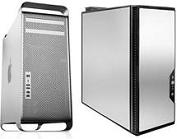 ’s a little disconcerting to see so many people choose to buy a Mac just because of their looks, as they are excellent computers that are integrated very well with the software. You must get AppleCare though as most new Apple computers have no user-serviceable components. The 2016 MacBook Pros were very disappointing and massively over-priced with poor, unreliable keyboards. With falling iPad sales and stagnant computer sales, Apple has become a one-product company - the iPhone. Oh and dongles, they sell lots of dongles. ’s a little disconcerting to see so many people choose to buy a Mac just because of their looks, as they are excellent computers that are integrated very well with the software. You must get AppleCare though as most new Apple computers have no user-serviceable components. The 2016 MacBook Pros were very disappointing and massively over-priced with poor, unreliable keyboards. With falling iPad sales and stagnant computer sales, Apple has become a one-product company - the iPhone. Oh and dongles, they sell lots of dongles.
What will be very interesting is Apple’s plan to start using ARM based processors in future instead of Intel ones, from the end of 2020. Their laptops might even end up with a longer battery life than their watches!
Laptop or Desktop?
Pound for pound, compared to a laptop, a desktop will always be quicker, more reliable, have a larger, clearer screen, be more comfortable to use with a proper keyboard and mouse and be easier to upgrade. Replacement parts are also much easier and cheaper to fit than those for laptops.
Unless you really need the portability of a laptop, then my advice is to buy a desktop. After all, a laptop is probably only going to sit in one place for most of its life.
If your heart is set on a laptop, then make sure it is strongly built to withstand wear and tear. Check the strength of the hinges and make sure than the screen doesn’t flex too much when put under load. There will also be a lot of heat generated in a small, tightly packed space. This means that some laptops can become very hot, too hot in-fact to rest on your lap! Pay attention to the air vents. If you are right-handed and want to use a mouse with your laptop, an air exhaust vent on the right-hand side of the PC will continually blow very hot air over your hand which can be very uncomfortable. And just because the manufacturer says the laptop has a graphics card suitable for gaming don’t expect to be playing all of the latest PC games on it at high resolution and graphics settings.
PC Reliability
On average, a desktop PC is two times more reliable than a laptop. There is a 1 in 3 chance of a laptop developing a fault within 3 years, 1 in 6 for a desktop - These statistics are my own based on a sample of 500 laptops and 1200 desktops in 2004. Modern surveys indicate that laptop reliability is perhaps even worse now than it was all those years ago.
Always use a laptop on a hard, flat surface to prevent the ventilation holes from being blocked.
There is a fair chance that a laptop battery will fail within 3 years. Certainly, the capacity of the battery could only be a fraction of that when new, especially if the laptop has run hot and spent most of its life plugged into the mains. Newer laptops will stop charging a battery when it is fully charged, which is better for battery life. Lithium-Ion batteries generally last longer if they are charged little and often. Avoid over-heating as high temperatures kill Li-Ion batteries fast. If the battery fails, be wary of buying a cheap replacement battery on eBay or Amazon. Most of those £30 batteries are very poor quality - Try to buy an original battery if possible.
Laptops are also more likely to be damaged by an accident, such as being dropped, closing the case with a pen on the keyboard and cracking the screen, pulling the laptop off a desk when your foot tangles in the power lead and that old favourite, spilling coffee onto the keyboard. Incidentally, PC World will charge you twice as much (typically) to repair your laptop compared to a desktop PC once it’s out of warranty. That’s if they actually have the parts to fix it. With laptop models being replaced every 3 months, spare part availability is a problem even for new models.
Things to avoid when buying a laptop:
• Slow Processors like an AMD A4 or Intel Celeron or Pentium. Look for at least an Intel Core i3 i3-1005G1 or an AMD Ryzen 5 2500U.
• A conventional Hard Disk Drive. It must come with a proper NVMe SSD with at least 120GB of storage, preferably 250GB or more.
• Bundled software packages that you don’t need, despite what PC World will tell you. Antivirus and backup programs are built-in to Windows 10.
• Laptops costing less than £300. You simply cannot build and sell a new laptop at this price that will be pleasant to use. Even if you don’t need much from a laptop, you will regret buying a cheap one. You need to spend at least £450 to get a decent laptop in 2023.
Price points
Less of a problem nowadays, but some companies were notorious for this only a few years ago. They would target a price point and then fill a PC with various components to achieve that price, usually with severe compromises. Now that RAM is so cheap, manufacturers are putting loads into their PCs as standard and then spoiling it by using a cheap (slow) processor.
Building your own
No longer the cheap option it once was, this will generally work out about £50 to £100 more expensive that buying a pre-built PC (say from Dell) but you get to choose precisely which components you want to achieve the PC you’re after – small, fast or quiet, or all three. A custom built PC starts to make sense if you choose components that can be over clocked (speeded-up) which can give you extra performance virtually free of charge. The best advice used to be to spend more money on the motherboard and memory and less on the processor, giving you the option of improving the processor in the future. However, nowadays even basic motherboards have overclocking options. So buy the quickest processor you can afford and give it a little overclock. Install as much RAM as possible. With building your own, you’ll also be free to choose a graphics card that suits your needs. You might chose not to have one at all and use on-board graphics (integrated on the motherboard) or buy one at a later date. Using a SSD (Solid State Drive) is a no-brainer nowadays. Choosing your own components also lets you buy the best quality, which is especially true for cases and power supplies. The latter are extremely important for a stable and quiet system. You won’t need to purchase an extended warranty as most individual components will be covered by their manufacturer’s warranty, typically 3 years, all for free, sort of.
Wireless Printers
Maybe it’s just me, but surely the idea of combining two of the most troublesome aspects of IT, wireless networking and printing, into one product is just asking for trouble. Networked printing can be very useful, but wireless networked printing? Most people believe that a wireless printer connects to a wireless PC - normally it doesn’t! The wireless printer connects to a wireless router which in turn connects to the PC. So the printer will need to be relatively close to the router to ensure a good signal and uninterrupted printing. If the printer has an Ethernet port then use that and run a cat5 cable from the router to the printer. This network connection will be much more reliable. In any case, it is quite easy to network any printer using Printer Sharing even if you have a mix of PCs and Macs. So think carefully before setting-up a printer with a wireless connection.
Finally, one point about Inkjet Printers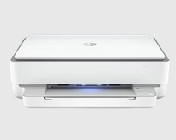
We all know how expensive the ink refills can be on these but do you know that some printers are designed for only a few years of normal use and will stop working when the cleaning reservoir is full. Also, the ink cartridges supplied with most printers will only contain about half the ink of a normal refill. Avoid cheap printers without a proper display. Blinking LEDs are no substitute for a clear message on a display. If you do a lot of printing buy a more expensive ‘Office’ inkjet printer with large capacity ink cartridges or bottles. These are much cheaper to run and some are even more economical than comparable Laser Printers.
|



